
Program settings
In the program settings, you set the language, storage locations, and diagnostic history, and you enter K-Line parameters and your workshop data.
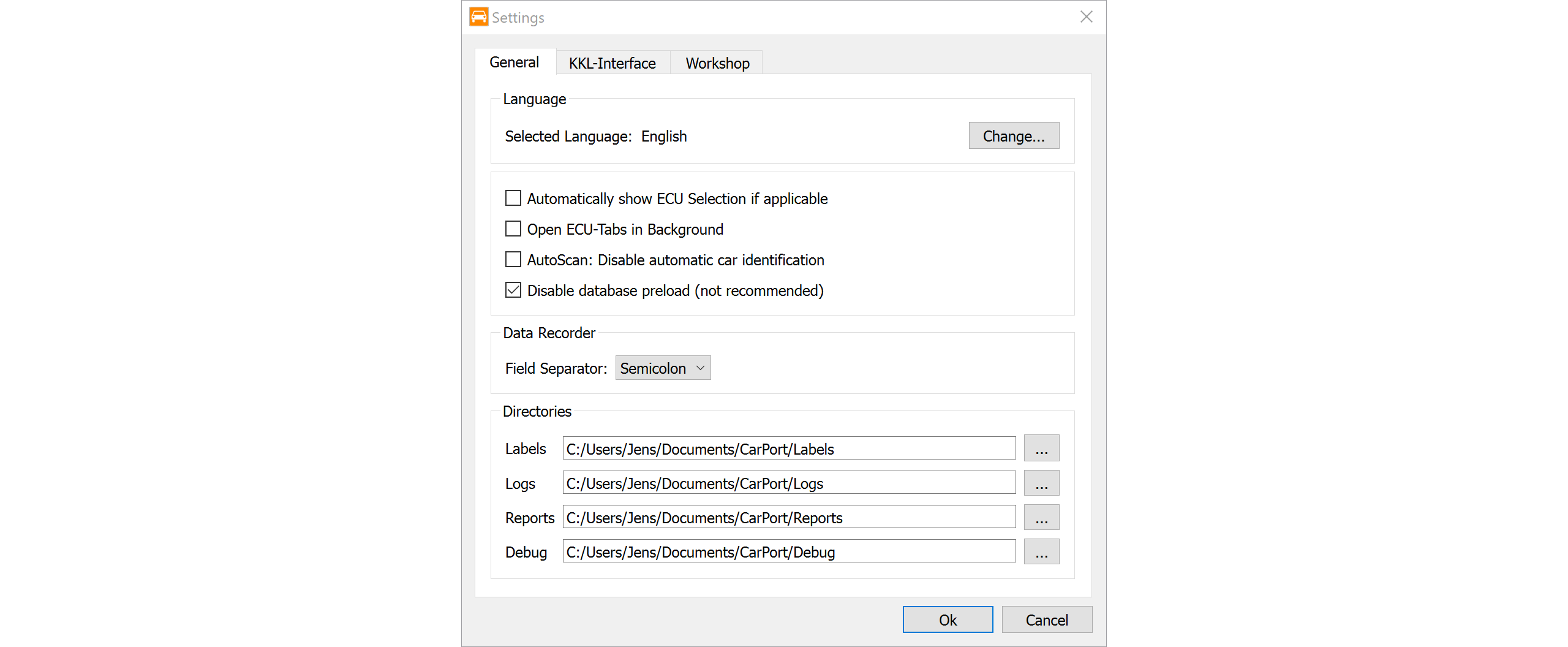
You can access the global configuration from the Program → Settings... menu. The settings are divided into several tabs.
General
This is where you'll find the basic program settings:
Language: Sets the display language of the user interface (restart required).
Automatic ECU selection:
Automatically show ECU Selection if applicable
On vehicles with CAN bus (and gateway), the ECU selection opens automatically as soon as the interface has been detected.Tabs in the background:
Open ECU-Tabs in Background
ECU tabs are opened in the background so that you aren't pulled away from your current view.Manual vehicle selection in AutoScan:
AutoScan: Disable automatic car identification
Disables automatic vehicle detection. This forces the AutoScan dialog to always ask for a manual selection (e.g., a scan list). Useful for special diagnostic scenarios.Preload database:
Enable database preload (recommended for slow machines)
Loads the entire database into memory when the program starts. Startup takes longer as a result, but CarPort accesses the data faster during diagnostics—recommended for slow computers. The option is off by default.CSV export format:
Field Separator:
Configures the separator for log files (e.g., for measured values). By default, a comma,is used; in regions with a decimal comma (such as Germany), a semicolon;is used automatically to ensure compatibility with Excel.Diagnostic History: Controls the recording of the diagnostic history:
Record diagnostic historyturns recording on or off. When it's off, nothing new is logged; sessions that have already been recorded are kept.Keep entries for:sets the retention period in days (default: 90 days). CarPort automatically removes older sessions when the program starts. Withunlimited, the history is kept permanently.Delete History Now...deletes the entire diagnostic history immediately (after confirmation).
Directories: This is where you define the storage locations for various files:
Labels: Storage location for label files.Logs: Destination folder for recorded measured values (CSV).Reports: Destination folder for diagnostic reports (PDF).Debug: Storage location for technical debug logs.
KKL-Interface
Specific settings for communication over the K-Line (older vehicles):
COM-Port:Manual selection of the COM port if automatic detection fails.Bus idle time:A waiting time in seconds that the interface observes before sending. Useful with unstable connections (the default values are usually sufficient).Fast Init:Specifies whether CarPort first tries the fast connection setup (Fast Init according to ISO 14230) for OBD2 diagnostics over the K-Line; if that fails, the 5-baud init follows automatically. VAG-specific diagnostics always use the 5-baud init, regardless of this setting. Disable this option if you have problems connecting for OBD2 diagnostics.
Workshop
- Workshop information: Here you can enter your company data (device ID, importer number, workshop code). This data is transferred to the ECU during write access (e.g., coding) and stored there.
Note: Leave the fields empty to keep the information already stored in the ECU.